
Redis (Remote Dictionary Server) is an open-source, in-memory data structure store used as a database, message broker, and high-performance caching engine. Unlike traditional relational databases that store data on disk and rely on tables and rows, Redis keeps data primarily in memory, which enables extremely low latency and high throughput.
In this article, we’ll discuss the uses and advantages of Redis, the comparisons between Redis and Memcached, what Redis streams and clustering are, and the procedures for downloading, installing and setting up Redis on Ubuntu.
What is Redis Used for?
Redis is commonly used to improve application performance, handle real-time analytics, and manage transient data efficiently. Its primary use case is caching, where frequently accessed data is stored in memory to reduce database load and accelerate response times. This approach, often referred to as Redis caching, is widely used in e-commerce platforms, SaaS applications, gaming leaderboards, financial dashboards, and social media feeds.
Other common use cases include session storage, pub/sub messaging, rate limiting, queue management, geospatial indexing, and real-time event processing. Redis is also used for implementing leaderboards and counters because of its atomic operations and support for sorted data structures.
Advantages as a Data Structure System
The benefits of using Redis include:
- Delivers extremely fast data access because it stores and processes data in memory, which significantly reduces latency for read and write operations in high-traffic applications.
- Supports multiple data structures that allow developers to handle caching, queues, real-time analytics, leaderboards, and session storage within a single engine.
- Its built-in replication, persistence options, and Redis cluster capability provide high availability and horizontal scalability for growing workloads.
- Improves overall database performance by offloading frequently requested data through Redis caching, which lowers operational costs and minimizes bottlenecks.
- Integrates easily with modern programming languages and cloud-native environments, making it a reliable solution for microservices, distributed systems, and real-time applications.
Comparing Redis vs. Memcached
What is Memcached?
Memcached is an open-source, high-performance distributed memory object caching system designed to speed up dynamic web applications by reducing database load. It stores key-value pairs in memory and is known for its simplicity and efficiency.
What are the Similarities and Differences Between Redis and Memcached?
Both Redis and Memcached are in-memory data stores that significantly improve application performance by reducing direct database queries. They are used in distributed environments, support high concurrency, and help scale applications horizontally.
However, both have these substantial differences:
- Redis supports complex data structures, while Memcached only supports simple key-value pairs.
- Redis offers persistence options, whereas Memcached is purely in-memory.
- Replication, clustering, transactions, and scripting capabilities are included in Redis.
- Memcached uses a multi-threaded architecture, while Redis traditionally uses a single-threaded event loop with optional I/O threading.
When choosing between Redis vs. Memcached, the choice depends on the use case. Memcached is ideal for simple and lightweight caching, while Redis is better for advanced data handling, real-time processing, and distributed systems that require durability and scalability.
What is Clustering in Redis?
Clustering in Redis is a method of distributing data across multiple nodes to achieve horizontal scalability and high availability. In a clustered setup, data is automatically partitioned into hash slots and distributed among multiple Redis instances. This allows the system to handle larger datasets and higher request loads than a single-node deployment.
A Redis cluster also provides fault tolerance. If one node fails, replicas can automatically take over, ensuring minimal downtime. This architecture is particularly useful for large-scale applications that require continuous availability and high performance. By spreading the workload across multiple nodes, clustering improves both read and write throughput while maintaining low latency.
What is Redis Streams?
Redis streams is a data structure designed for handling real-time event ingestion and processing. It functions as an append-only log where new entries are added sequentially and can be consumed by multiple clients. This makes it ideal for event-driven architectures, message queues, and data pipelines.
With Redis streams, developers can implement consumer groups, track message delivery, and replay events when needed. Each stream entry has a unique ID, which ensures ordered processing and reliable data handling. This feature is commonly used in applications such as real-time analytics, IoT telemetry processing, and activity tracking systems.
Can Redis be Used on Linux, Windows and macOS Systems?
Redis is cross-platform and can be used on Linux, Windows, and macOS. However, it is primarily developed for Unix-based environments and runs most efficiently on Linux. While Windows versions are available through compatibility layers or containerization, production deployments are typically hosted on Linux servers for better performance and stability. Since Redis runs natively on Unix-based systems, meaning it is built to run directly on the operating system without extra layers, this article will focus on a Linux distribution for the Redis installation and set up procedures.
Procedures for Downloading, Installing, Setting Up and Using Redis on a Linux Distribution
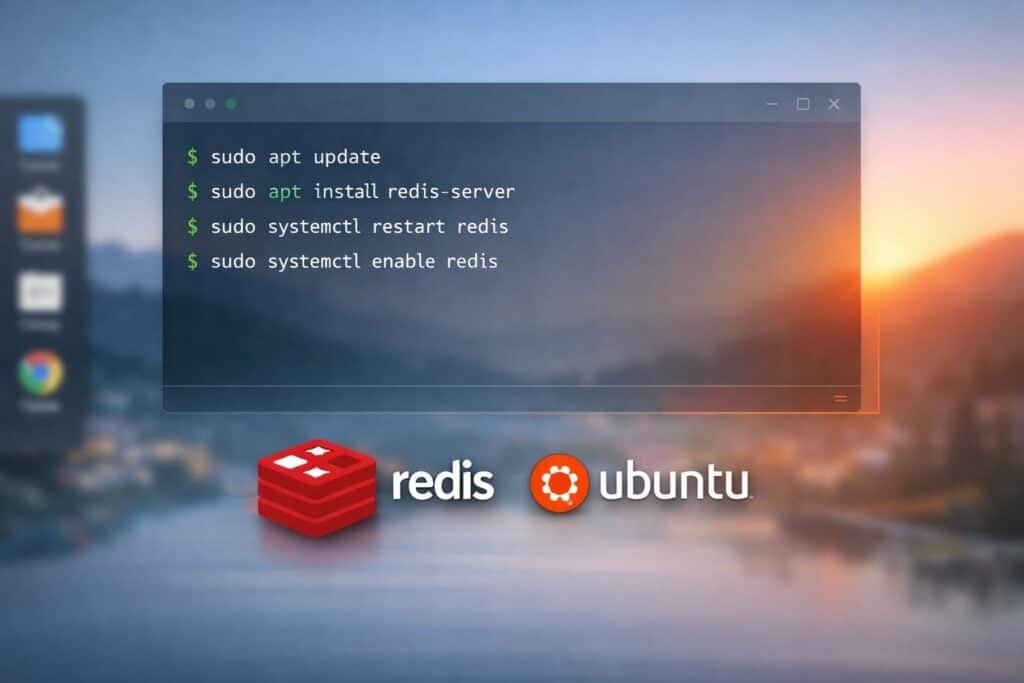
For this guide, Ubuntu will be used as the specific Linux distribution. The following procedures use terminal commands that you enter on a terminal window.
How to Download Redis on Ubuntu:
- 1) Open a terminal window by pressing Ctrl+Alt+T on the keyboard. Alternatively, you can click the activities/applications icon in the corner of the monitor, search for “Terminal,” and select the application.
- 2) Update the package index:
- sudo apt update
- 3) Download the Redis package:
- sudo apt download redis-server
- This retrieves the latest stable version from the official Ubuntu repositories.
How to Install Redis on Ubuntu:
- 1) Install Redis using:
- sudo apt install redis-server
- 2) Verify the installation:
- redis-server –version
- This confirms that Redis is successfully installed on the system.
How to Set Up Redis on Ubuntu:
- 1) Open the configuration file:
- sudo nano /etc/redis/redis.conf
- 2) Enable supervised systemd:
- supervised systemd
- 3) Set a password for security:
- requirepass yourpassword
- 4) Restart the Redis service:
- sudo systemctl restart redis
- 5) Enable Redis to start on boot:
- sudo systemctl enable redis
- This configuration ensures that Redis runs securely and automatically when the system starts.
How to Use Redis on Ubuntu:
The following are some of the basic commands you can use to test if Redis is successfully working on your computer.
- 1) Access the Redis CLI:
- redis-cli
- 2) Authenticate:
- AUTH yourpassword
- 3) Test basic operations:
- SET sample “Redis is working”
- GET sample
- These commands confirm that the Redis server is operational and ready for application integration.
The Power of Redis as a Data Store System
Redis is a powerful and versatile in-memory data store that significantly enhances application performance and scalability. Its support for advanced data structures, persistence, clustering, and real-time processing makes it more than just a caching engine. From implementing a high-speed Redis cache layer to building event-driven systems with Redis streams, it plays a critical role in modern software architectures.
When evaluating Redis vs Memcached, Redis stands out because of its flexibility, durability, and rich feature set. Its clustering capability enables horizontal scaling, while its compatibility with Linux environments ensures stable and efficient deployments. For beginners and professionals alike, learning Redis provides a strong foundation for building high-performance, data-intensive applications using effective Redis caching strategies and scalable Redis cluster configuration.
ServerHub’s High-Performance Hosting Infrastructure
ServerHub’s enterprise-grade infrastructure is an ideal environment for deploying high-performance Redis workloads, including Redis cache layers for dynamic websites and real-time applications that require ultra-low latency and high I/O throughput. Our VPS and dedicated servers are built on Intel Xeon processors, high-capacity RAM, RAID-10 storage, and SSD caching, enabling fast data access and consistent performance for memory-intensive services such as Redis. Contact us now to accelerate your Redis-powered applications with ServerHub’s high-performance hosting solutions.
References:
- Redis Docs
- Develop with Redis
- Install Redis on Linux
- How To Install and Secure Redis on Ubuntu
- What is Memcached?